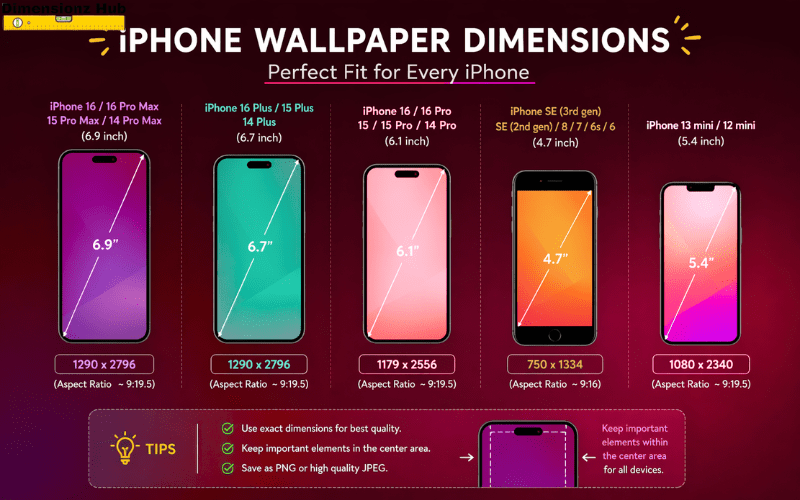

What are iPhone wallpaper dimensions? iPhone wallpaper dimensions depend on the model, but most modern iPhones use 1170 × 2532 pixels, 1284 × 2778 pixels, or 1290 × 2796 pixels for a perfect screen fit.
A correct wallpaper size is very important because it directly affects how your screen looks. If the dimensions are accurate, the wallpaper appears sharp, properly aligned, and visually appealing. If not, it may look blurry, zoomed in, or cropped from the edges.
Unlike simple images, wallpapers must match screen resolution, aspect ratio, and display behavior. iPhones use high-quality Retina displays, so even small mistakes in resolution can become noticeable. That is why understanding wallpaper dimensions is important for both normal users and designers.
What Are iPhone Wallpaper Dimensions?
iPhone wallpaper dimensions refer to the pixel size (width × height) required to perfectly match the device screen.
These dimensions depend on:
- Screen resolution
- Aspect ratio
- Pixel density
Each iPhone model has slightly different screen specifications, but Apple maintains a similar display ratio across devices. This allows wallpapers to scale across models while maintaining visual consistency.
Understanding these dimensions helps ensure that wallpapers:
- Fit perfectly on screen
- Do not get cropped
- Maintain image clarity
- Align correctly with UI elements
Standard iPhone Wallpaper Sizes
Here are the commonly used wallpaper sizes for different iPhone categories:
| iPhone Type | Resolution (Pixels) |
| Standard Models | 1170 × 2532 |
| Plus Models | 1284 × 2778 |
| Pro Max Models | 1290 × 2796 |
| Older Models | 750 × 1334 to 1125 × 2436 |
These resolutions are optimized for modern iPhone displays and ensure maximum image sharpness.
iPhone Wallpaper Width and Height (Detailed Explanation)
Width
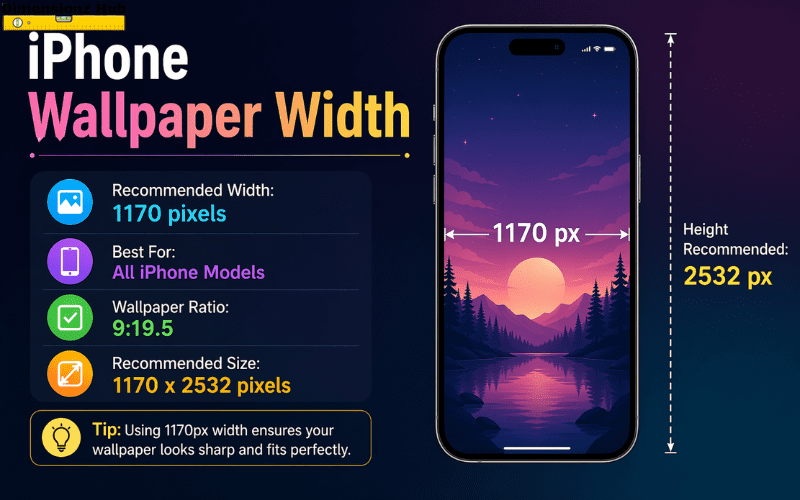
The width of an iPhone wallpaper usually ranges from 750 pixels to 1290 pixels, depending on the model.
Height
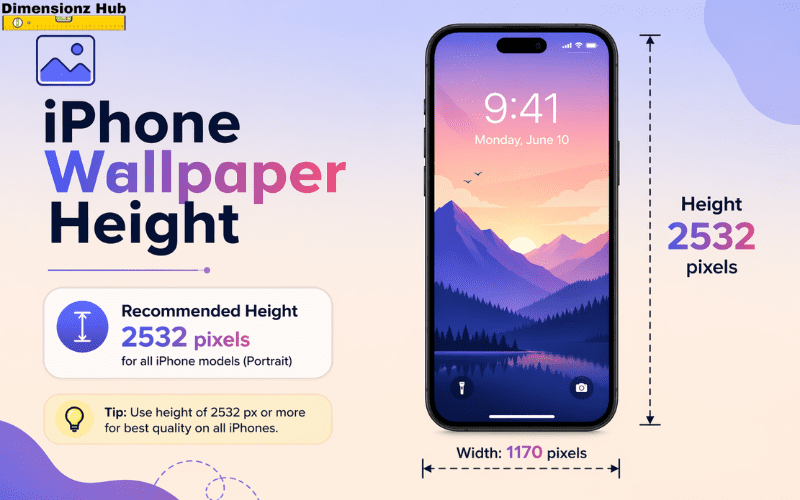
The height ranges from 1334 pixels to 2796 pixels.
Why width and height are critical
The correct combination of width and height ensures that:
- The wallpaper covers the full screen
- No unwanted zoom or stretch occurs
- Image quality remains sharp
- Interface elements like icons and widgets remain visible
If width is too small, the image becomes blurry. If height is incorrect, the wallpaper may be cropped from the top or bottom.
Related post: Coke Can Dimensions: Height, Width, Length, Size, Volume & Complete Guide
Aspect Ratio of iPhone Wallpapers
Aspect ratio defines the proportional relationship between width and height.
Most modern iPhones follow an aspect ratio of approximately:
- 19.5:9
Importance of aspect ratio
Even if resolution differs between models, maintaining the correct aspect ratio ensures:
- Proper scaling
- No distortion
- Consistent appearance
Incorrect aspect ratio leads to automatic cropping or stretching by the system.
Retina Display and Image Quality
iPhones use high-density displays such as Retina, Super Retina, and OLED panels.
What this means for wallpapers
- Every pixel is visible clearly
- Low-resolution images look blurred
- Fine details become more noticeable
Because of this, wallpapers should always be:
- High resolution
- Properly scaled
- Optimized for sharpness
Using a low-quality image on a high-resolution display reduces visual experience significantly.
Lock Screen vs Home Screen Wallpaper
iPhones support two wallpaper types:
Lock Screen Wallpaper
- Shows when the phone is locked
- Displays clock, notifications, and widgets
- Supports depth effects in newer iPhones
Home Screen Wallpaper
- Appears behind apps and icons
- Needs clean and simple design
- Requires careful alignment to avoid clutter
Why this difference matters
A wallpaper that looks perfect on the lock screen may not look good on the home screen due to icons and widgets. So it is important to design wallpapers according to their usage.
How iPhone Automatically Adjusts Wallpapers
iPhones use built-in systems to adjust wallpapers automatically.
These include:
- Perspective zoom
- Automatic cropping
- Screen fitting algorithms
Why this happens
Apple ensures that wallpapers adapt to different screen elements, but this can sometimes cut off important parts of the image. That is why it is always better to use exact dimensions rather than relying on automatic adjustments.
Safe Area and Content Placement
When designing wallpapers, it is important to understand the safe area.
Safe area means:
The central portion of the screen where important content should be placed.
Why safe area is important
- Edges may be cropped
- UI elements overlap outer areas
- Notifications and icons cover parts of wallpaper
Best practice
Keep important content like text, faces, or objects in the center area of the image to avoid loss during cropping.
Wallpaper Scaling Across Different iPhone Models
Not all users have the same iPhone model, so wallpapers often need to scale across devices.
How scaling works
- Larger images shrink to fit smaller screens
- Smaller images stretch and lose quality
- Same aspect ratio ensures better compatibility
Best approach
Use high-resolution images with correct aspect ratio so they work on multiple devices without quality loss.
Impact of Wallpaper on User Experience
Wallpaper is not just decoration—it directly affects how users interact with their device.
A good wallpaper:
- Improves readability of icons
- Reduces eye strain
- Enhances overall visual experience
- Makes the device feel personalized
A bad wallpaper:
- Makes icons hard to see
- Looks cluttered
- Reduces usability
That is why choosing the right size and design is important.
Best Practices for iPhone Wallpapers
To get the best results, follow these guidelines:
- Always use high-resolution images
- Match exact device dimensions
- Maintain correct aspect ratio
- Keep important elements centered
- Use simple backgrounds for home screen
- Avoid too much detail behind icons
These practices ensure a clean and professional look.
Common Mistakes to Avoid
Many users make mistakes while choosing wallpapers.
Avoid these issues:
- Using low-quality images
- Ignoring aspect ratio
- Choosing overly complex designs
- Placing important content near edges
- Relying only on auto-fit
Fixing these mistakes improves visual clarity instantly.
Practical Uses of Wallpaper Dimensions
Understanding wallpaper dimensions is useful in many areas:
- Mobile UI design
- Graphic design projects
- Social media content creation
- App development
- Personal customization
It allows better control over how visuals appear on mobile screens.
Why iPhone Wallpaper Dimensions Matter
These dimensions are important because they affect:
- Image clarity
- Screen compatibility
- Visual alignment
- User experience
Even a small mismatch in size can cause distortion or cropping, which reduces quality.
Simple Way to Remember iPhone Wallpaper Size
The easiest way to remember:
Modern iPhones use wallpapers around
👉 1170 × 2532 pixels or higher
This gives you a quick reference when choosing images.
FAQs
What is the best iPhone wallpaper size?
The best size depends on your model, but common sizes include 1170 × 2532 and 1290 × 2796 pixels.
Why does my wallpaper zoom in?
Because of perspective zoom, which slightly enlarges the image to create depth effect.
Can I use one wallpaper for all iPhones?
Yes, if it has high resolution and correct aspect ratio.
What aspect ratio do iPhones use?
Most modern iPhones use 19.5:9.
How do I avoid wallpaper cropping?
Use exact resolution and keep important elements in the center.
Related Post: Red Bull Can Dimensions: Height, Width, Length, Size, Volume & Complete Guide
Conclusion
iPhone wallpaper dimensions are essential for achieving a perfect visual experience. The correct width, height, and resolution ensure that wallpapers look sharp, aligned, and professional.
By understanding these dimensions in detail, you can easily choose or create wallpapers that fit perfectly on your screen without distortion, cropping, or quality loss.